Disclaimer
Is this plugin open source? Yes — MIT licensed.
Is this plugin completely free? Yes.
Is this plugin vibe-coded beyond the author’s ability to comprehend how it works? No.
Community Directory: Mermaid Flow Enhancer
Hi everyone! I built Mermaid Flow Enhancer to make Mermaid flowcharts easier to read inside Obsidian.
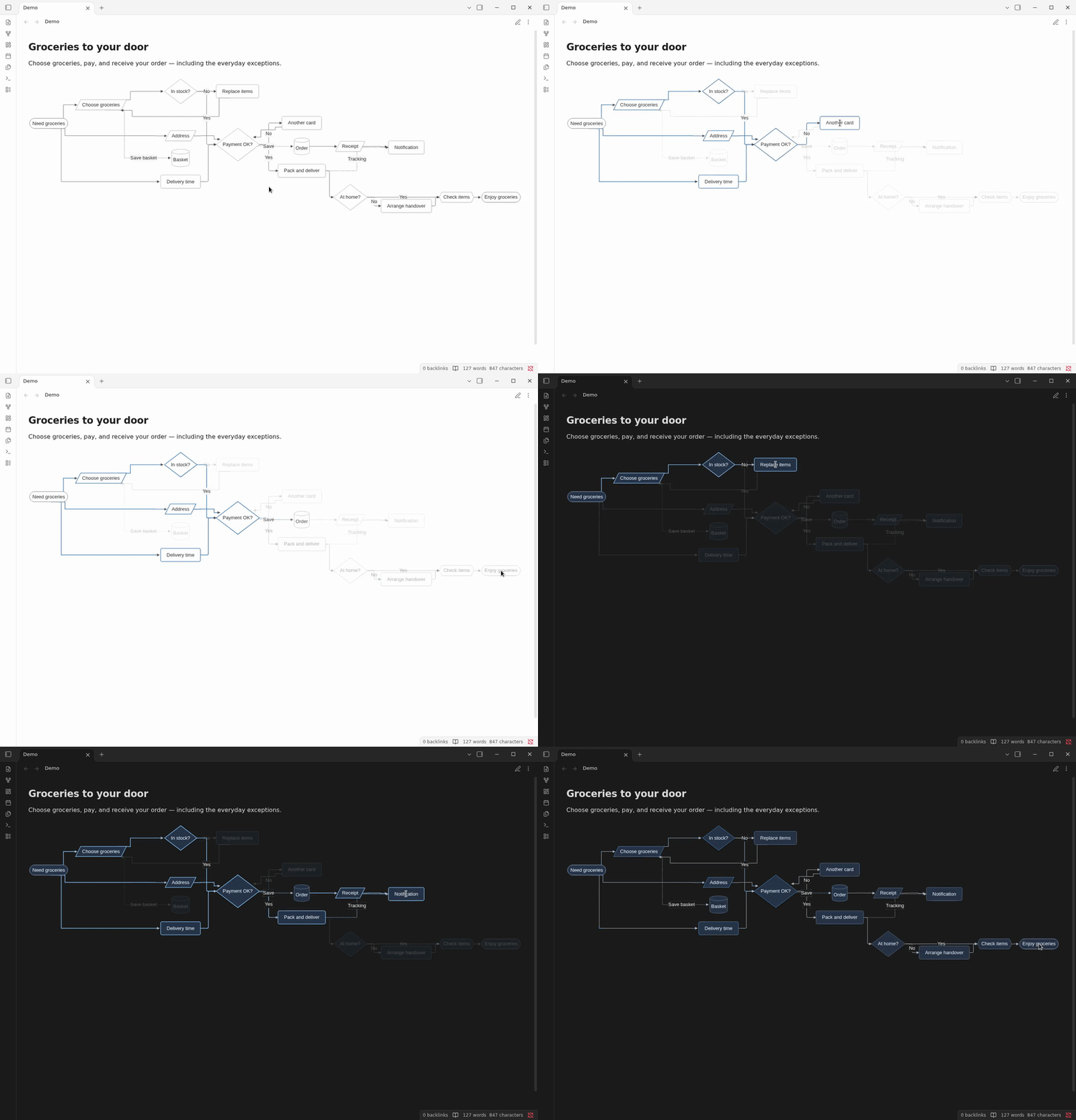
A diagram can describe a process perfectly and still be hard to follow: oversized decision diamonds, uneven branches, too much empty space, and several routes competing for your attention. This plugin improves the layout and lets you hover over any node or connector to see the paths leading to it, while the rest of the diagram gently fades.
Your Mermaid code stays in your notes. There is no new diagram format to learn.
See it in action
This example follows an everyday grocery order: choosing items, replacing missing products, retrying payment, and arranging delivery. Move between steps to follow their incoming paths.
Watch the video · Try the example diagram
What it adds
- More compact flowcharts: less wasted space, smaller decision nodes, and readable labels.
- Clearer branches: aligned decision branches and centered arrows with gently rounded corners.
- Interactive path highlighting: trace the routes leading to a node or connector, with smooth fading and a delay that prevents flicker when moving between elements.
- Light and dark styling: with reduced-motion support and print styles.
- Simple controls: searchable settings for layout, highlighting, animation duration, and hover delay. Add
%% mfe:offinside a diagram to leave that one unchanged.
It enhances Mermaid flowcharts; other diagram types keep their normal renderer. Return/back edges are excluded from ancestor traversal so retry loops do not highlight the entire diagram. It runs locally, makes no network requests, collects no telemetry, and does not rewrite your notes.
Try it
Add Mermaid Flow Enhancer to Obsidian — choose Add to Obsidian, then Install and Enable. Open a note containing a Mermaid flowchart and hover over a node.
Requires Obsidian 1.14.2 or later. Desktop-tested; mobile verification is still pending.
Ideas and bugs are welcome
I’d love to see the diagrams you use it with. What would make your flowcharts easier to read? Suggestions, feature requests, and bug reports are welcome here or in GitHub Issues.
If something looks wrong, please include your Obsidian version, platform, theme, and a small Mermaid example that reproduces it. That makes it much easier to investigate.