Steps to reproduce
Paste this into a note, put the cursor on another line, and compare Live Preview with Reading view:
Text before.

    \$HOME/bin
    \$PATH

Text after.
The two middle lines are indented by four spaces, so they are an indented code block.
Did you follow the troubleshooting guide?
Yes (reproduced in the sandbox vault, no community plugins).
Expected result
Code is shown as typed: both lines start with \, as in Reading view.
Actual result
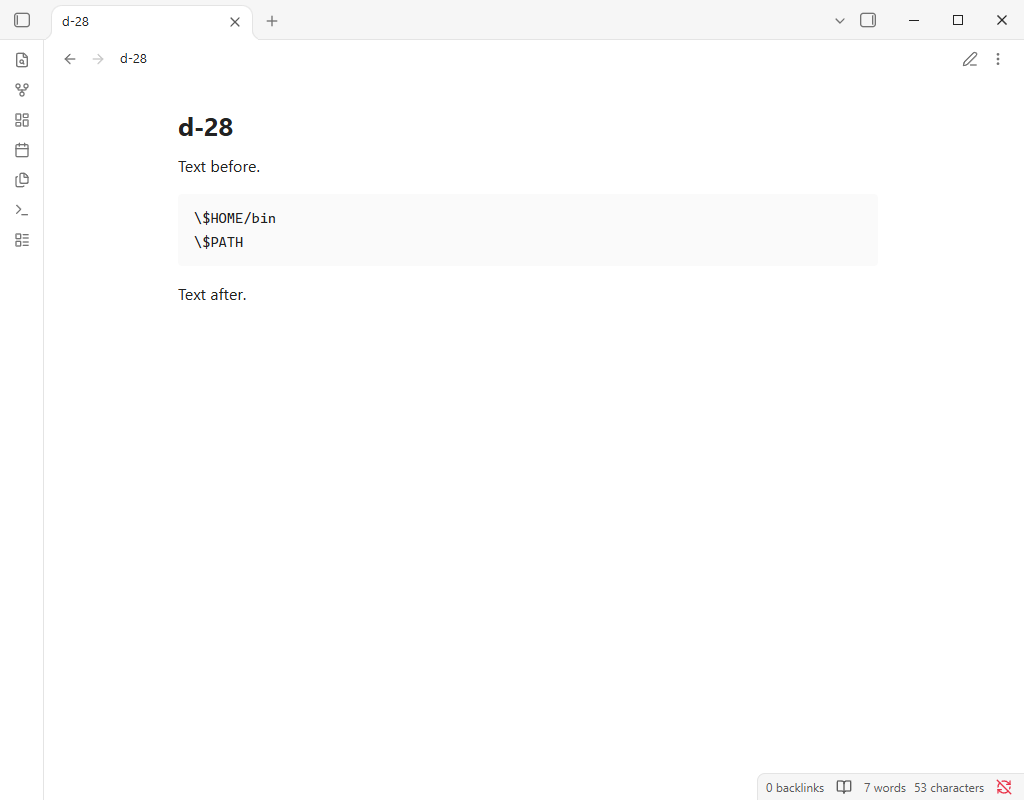
Live Preview hides the backslash of the first code line and shows $HOME/bin, while the second line shows \$PATH. Reading view shows \$HOME/bin and \$PATH.
The editor styles the first line’s backslash as an escape (cm-hmd-escape-backslash) and the rest of that line as the escaped character (cm-hmd-escape-char), beside the code classes, so Live Preview hides the backslash as it would in text. It happens on the first line of an indented code block only, the line where the block starts, after any indentation (four spaces, a tab, eight spaces, inside a list item). It happens whatever follows the backslash, so \a loses its backslash too, which is no escape even in text. A line that continues the code block, and a backslash later in the line, are not affected.
Environment
SYSTEM INFO:
	Obsidian version: 1.15.0
	Installer version: 1.14.4
	Operating system: Windows 11 Pro 10.0.26300
	Login status: not logged in
	Language: en
	Insider build toggle: off
	Live preview: on
	Base theme: adapt to system
	Community theme: none
	Snippets enabled: 0
	Restricted mode: on

RECOMMENDATIONS:
	none
Sandbox vault, no community plugins, default theme and settings.
Additional information
Shell snippets and regular expressions in indented code often start with a backslash, and copying the line from Live Preview by eye loses it.
Live Preview:
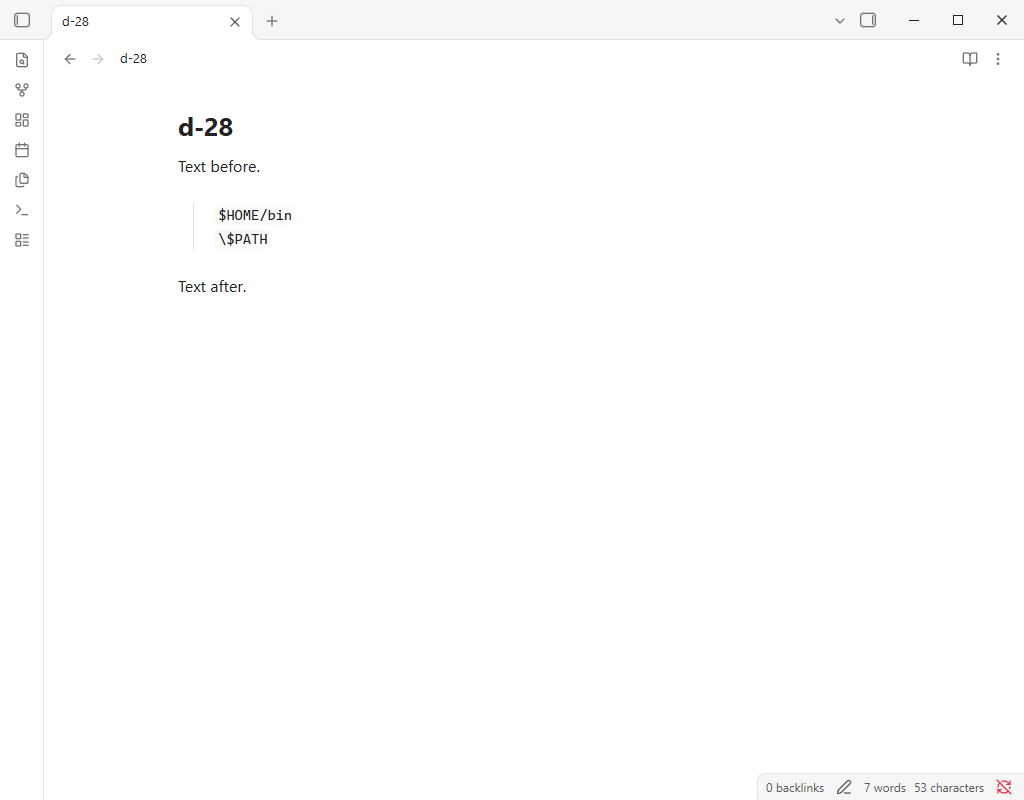
Reading view: