Disclaimer
Is this plugin open source? Yes
Is this plugin completely free? Yes
Is this plugin vibe-coded beyond the author’s ability to comprehend how it works? No
Community Directory:[Link](https://community.obsidian.md/plugins/klaar)
Hi all. I’ve been building an Obsidian plugin called Klaar for tasks and periodic notes. It’s now available in Community plugins, and I’d love for more people to try it.
The idea is simple: you write a normal checkbox anywhere in your vault and schedule it with a link to a period. That task then shows up at the top of the matching period note: the day note, the week note, the month note, and so on.
- [ ] Send the invoice >[[2026-10-23]]
- [/] Plan the offsite >[[2026-W44]]
- [<] Renew insurance >[[2026-11]]
The plugin follows Obsidian design and standards and it leverages its existing features instead (like bases) of creating “things on top of it” or using weird symbols and emojis in your markdown files.
What’s in it
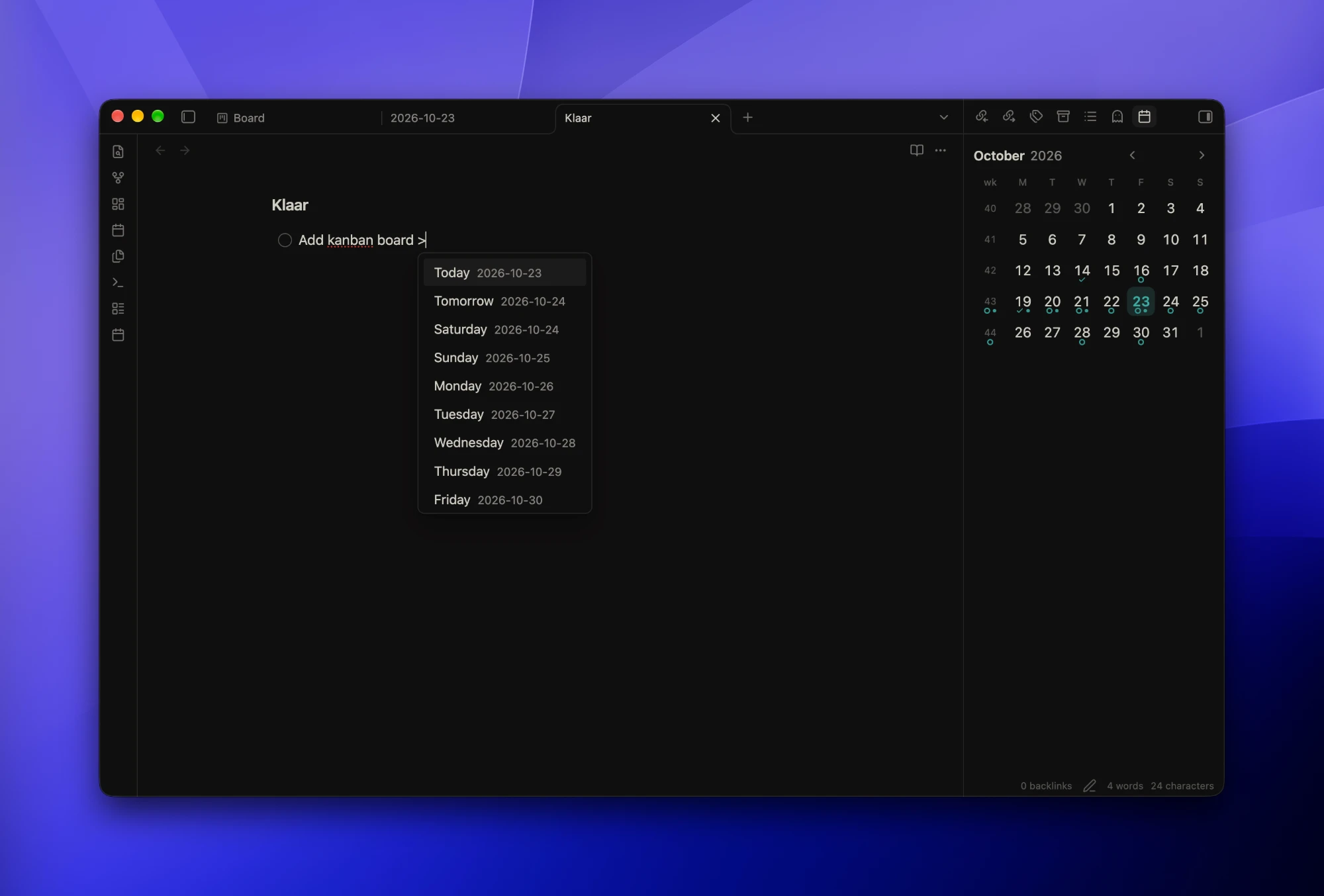
- Date picker. Type
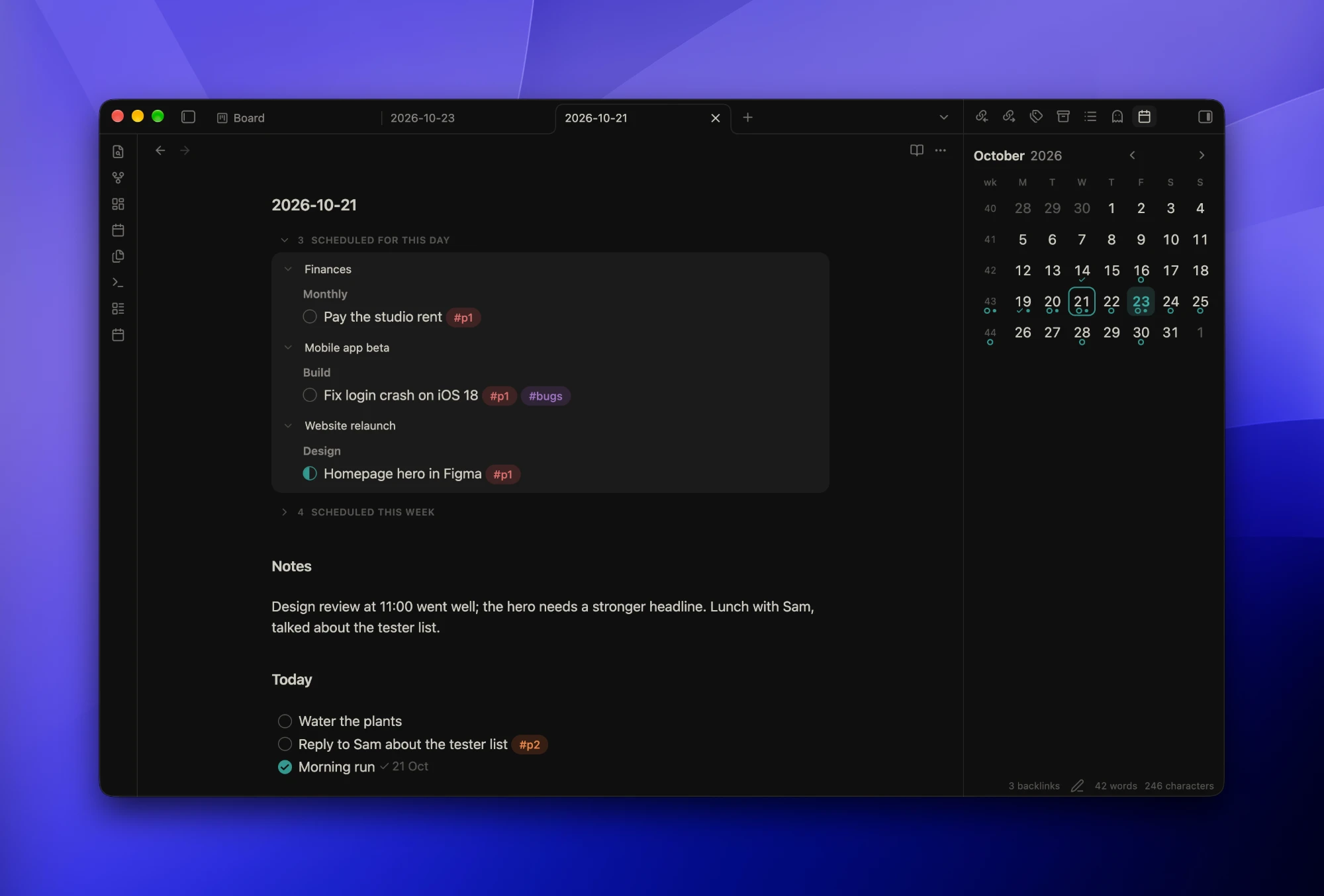
>on a task line and pick Today, Tomorrow, a weekday, this/next week, this month or this year.>tomfinds Tomorrow. You can also type a key like2026-W43. - Cascading journal notes. Each note lists its own tasks, plus those from the period around it and the periods inside it. Today’s note adds anything overdue and folds ticked tasks into a Done group.
- Calendar sidebar. Markers show which days have open tasks, which are all done, and which have a note. Drag a task onto a day to reschedule it.
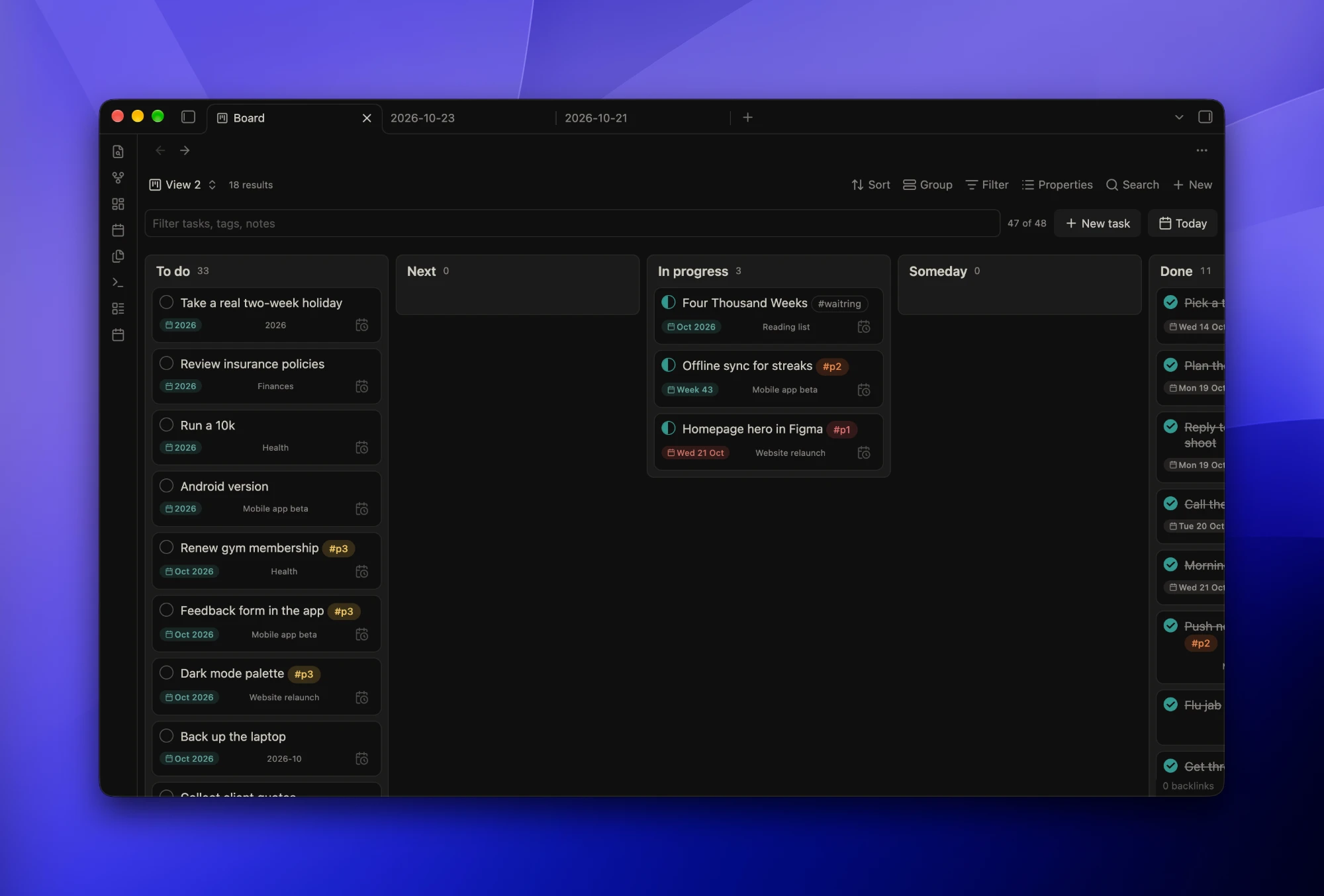
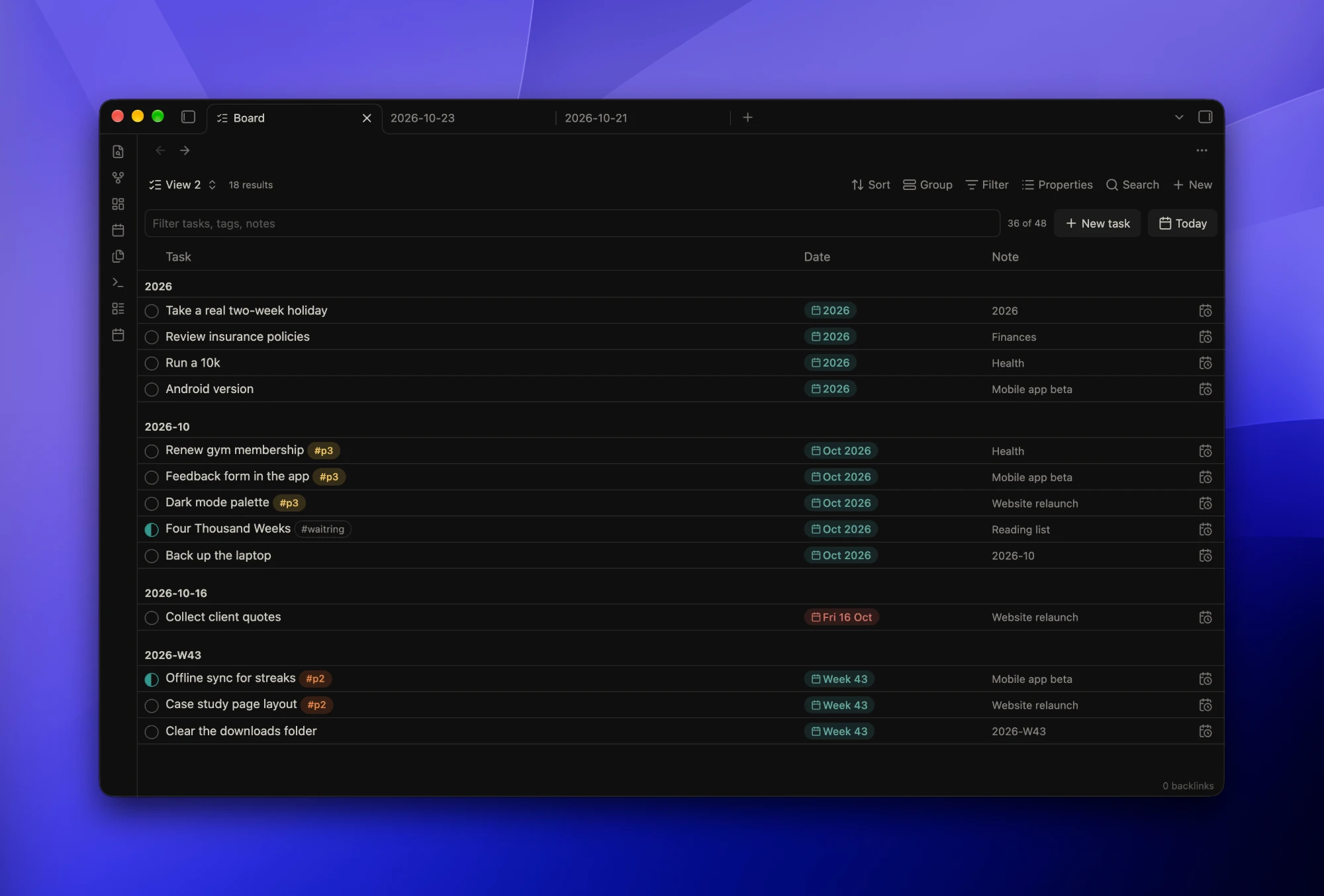
- Bases views. “Klaar Table” and “Klaar Board” show the tasks of any base. Filter by tag, or split the board into rows. Drag and drop is also supported.
- Mark task as… In progress
[/], next[>], someday[<]and cancelled[-], with a command to toggle each. Priority tags (#p1,#p2,#p3by default) show as coloured pills. - Commands. Schedule a task, move it to another note, move done tasks at the bottom of the page under
## Done, or open today’s, next week’s or last month’s note. - Date chips.
>[[2026-10-23]]reads as “Fri 23 Oct” or “Today”, and turns red when an open task is overdue. - Completion dates. Automatically mark a task as `(@done [[2026-1023]]) once completed and display a subtle chip.
Works on desktop and mobile.
Roadmap
- Support Daily Notes / Periodic Notes plugins for date formatting (right now only
YYYY-MM-DD,YYYY-[W]WW,YYYY-MM, andYYYYare supported) - Optimise for more themes. Currently the plugin is optimised for the Minimal theme, even if it works for other themes as well.
- Support templates but is this needed?