Oh, of course, but you have to manually write the required dates. I understood that you were asking for a way to automatically generate that view.
Moreover, your solution requires to write different “The last 30 days” notes depending on the daily note from which you link to it, doesn’t it?
The idea I was hinting in my previous message is to write a single Bases, named for example “Previous days.base”, containing for example (replace “Diary” by the actual name of your daily notes folder).
filters:
  and:
    - file.folder.contains("Diary")
formulas:
  weekday: date(file.name).format("dddd")
views:
  - type: table
    name: Table
    filters:
      and:
        - date(file.name) < date(this.file.name)
    order:
      - file.name
      - formula.weekday
    sort:
      - property: file.name
        direction: DESC
    limit: 20
Then, at the end of every daily note you can simply insert this:
![[Previous days.base]]
This will expand dynamically differently in each daily note, showing the last 20 existing daily notes whose date is less than the date of the containing daily note.
For example, this would be the result if inserted in the note corresponding to “2025-06-29”:
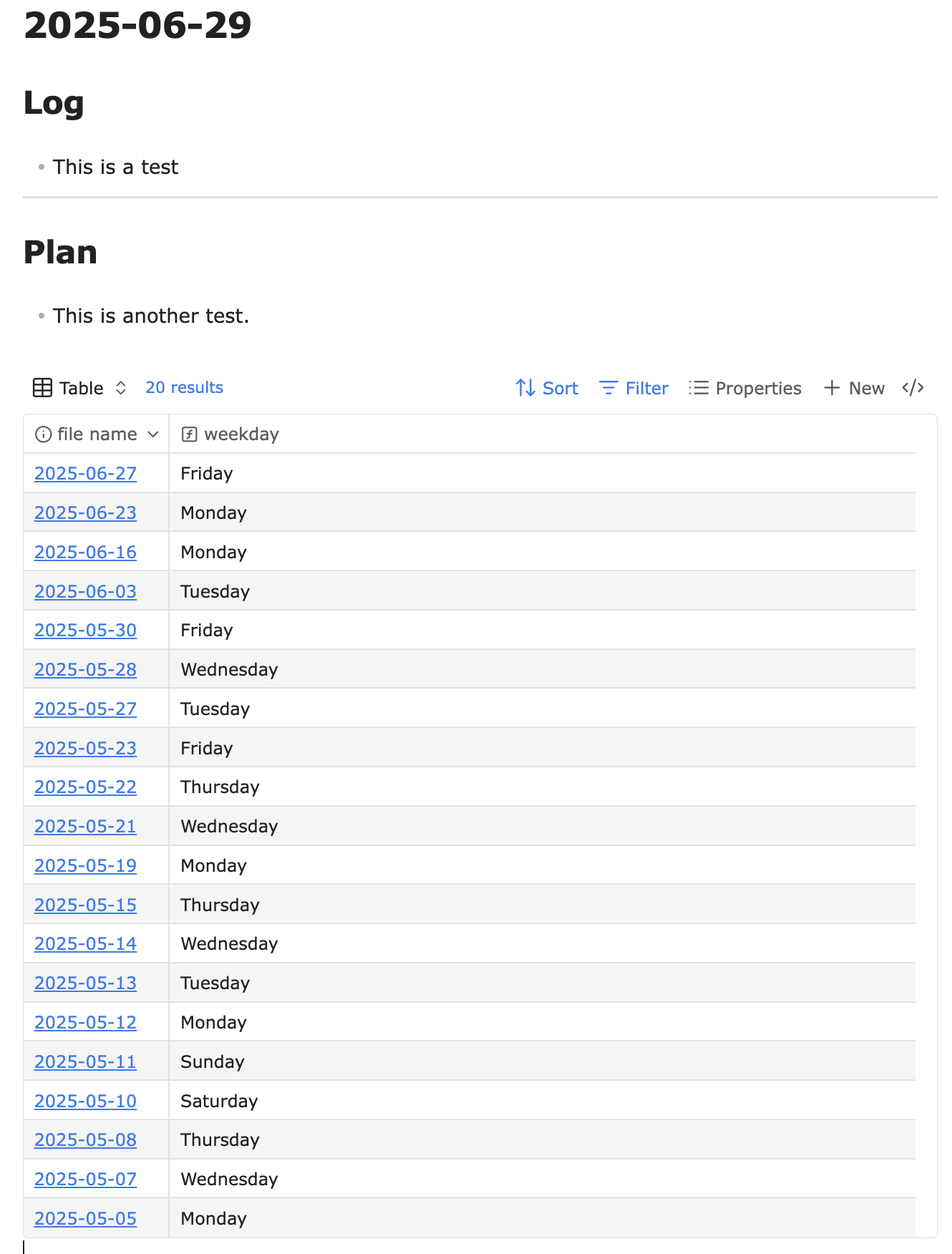
Several things to note:
- This requires Bases plugin (currently available only to catalyst users)
- The first note shown is for 2025-06-27 (previous to the current note 2025-06-29, in my vault there is no note for 2025-06-28)
- It shows 20 notes, but the limit can be changed by clicking on the “20 results” text
- I added a column showing the weekday, which I find useful
- Other columns can be added showing note properties (tags, etc)
- No contents of each daily note can be shown (or embedded), but every date is a link that you can Ctrl+Hover for preview, or click to go.