It works!
Just provide more screenshots for the people who uses the Macro for the first time.
in Step 2, creating a Macro choice means:
2.1 in the QuickAdd Settings panel, config as what is shown in the bottom of the screenshot, and press Add Choice:
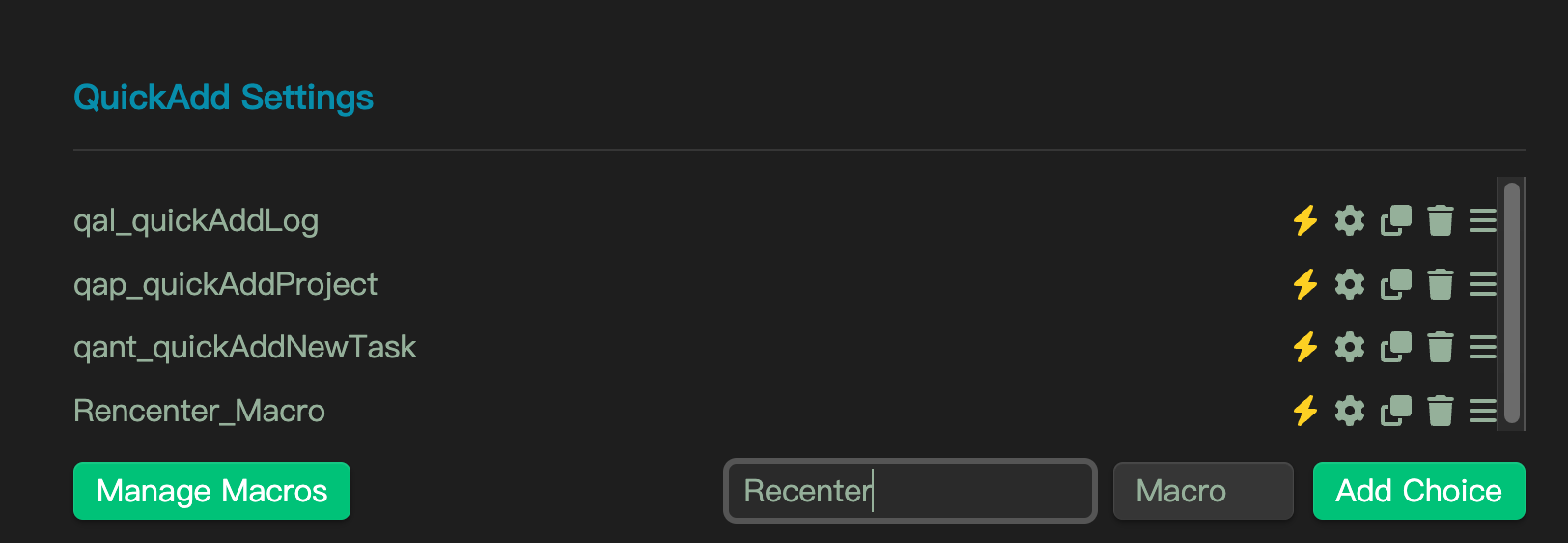
2.2 Press the Gear Icon next for the newly added “Recenter” line, to config the Macro Choice.

Then:
2.2.1 Press the “+” button to create a Macro named “Recenter” automatically (sorry for the typo)

2.2.2 Select the newly created “Recenter” and press the Gear Icon next to it

and you will come to:
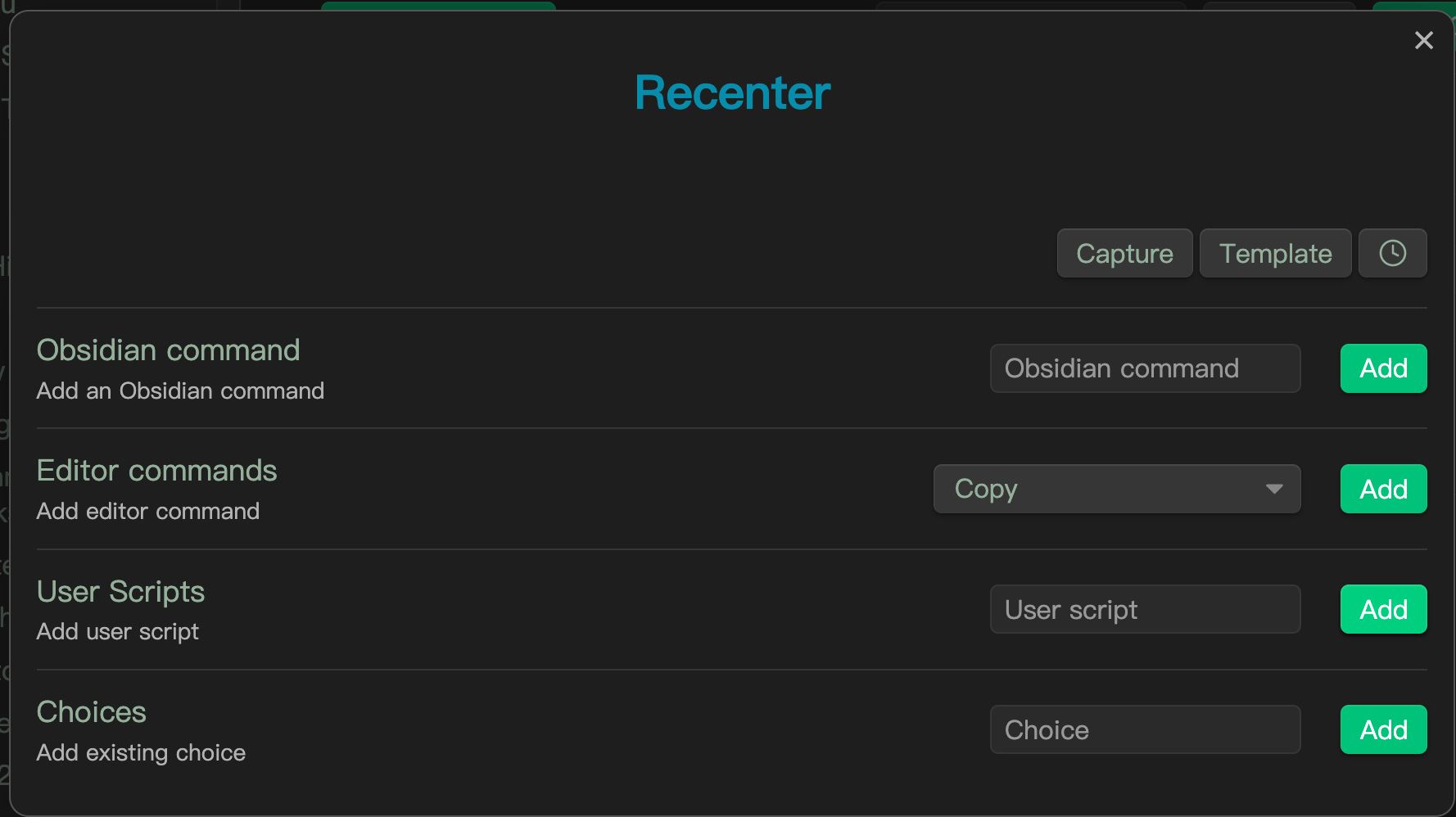
2.3 Add(Choose actually) the User Scripts which is created, in this case it is “recenter”(for the recenter.js) and press Add

After Step 2.3, you should see:
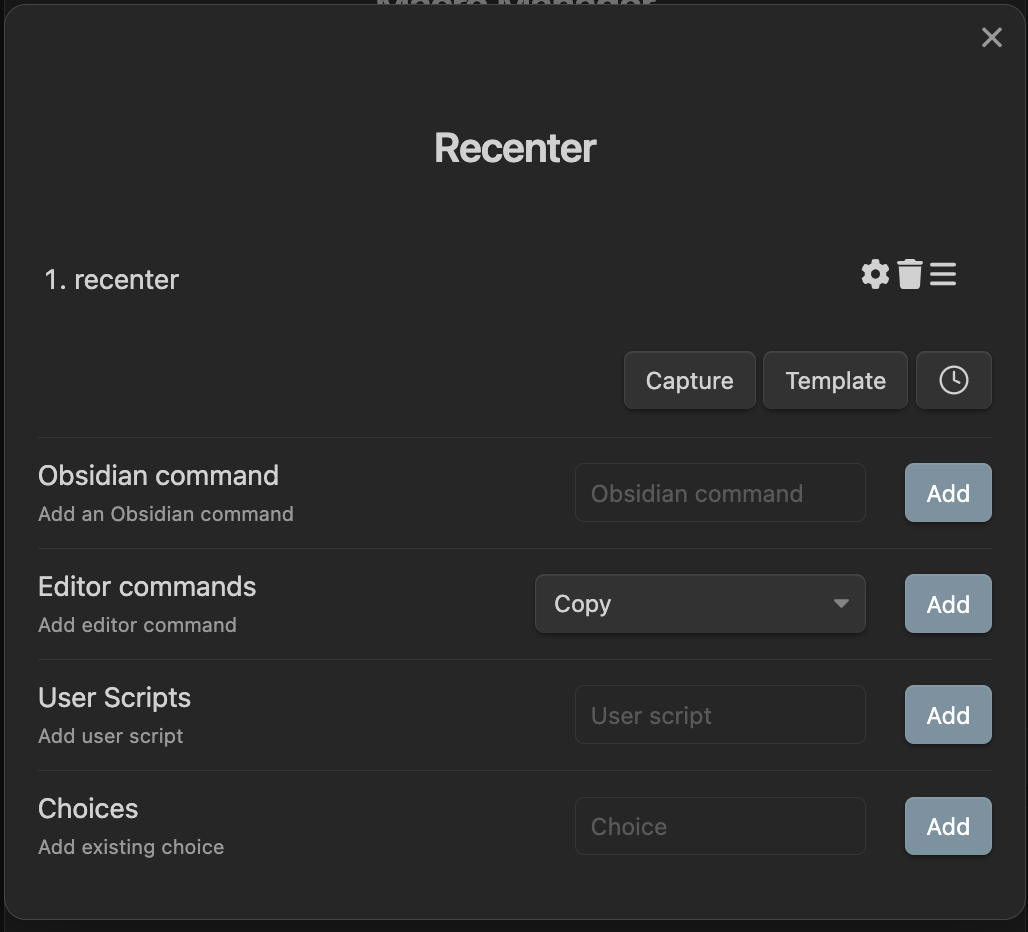
Then follow the instruction provided by @ush and go to Step 3.
Don’t forget to click the thunder icon to make this macro runnable as a standalone command:

Another reminder is, there are 3 things are created:
- the
recenter.jswhich is located in your vault, wherever you want(but it cannot be in the.obsidianfolder) - a Macro named
Recenter, which can be managed by press the Manage Macro button on the QuickAdd setting panel - a Macro Choice named ‘Recenter’, which is different from the Macro, and this Macro Choice can be managed directly on the QuickAdd setting panel.
A recommendation is:
rename the Macro from Recenter to Recenter_macro to distinguish the Macro and the Marco Choice better.