Steps to reproduce
Paste this into a note (one paragraph, two lines) and compare Live Preview or Source mode with Reading view:
Run ``npm install
--save-dev`` first.
Did you follow the troubleshooting guide?
Yes (reproduced in the sandbox vault, no community plugins).
Expected result
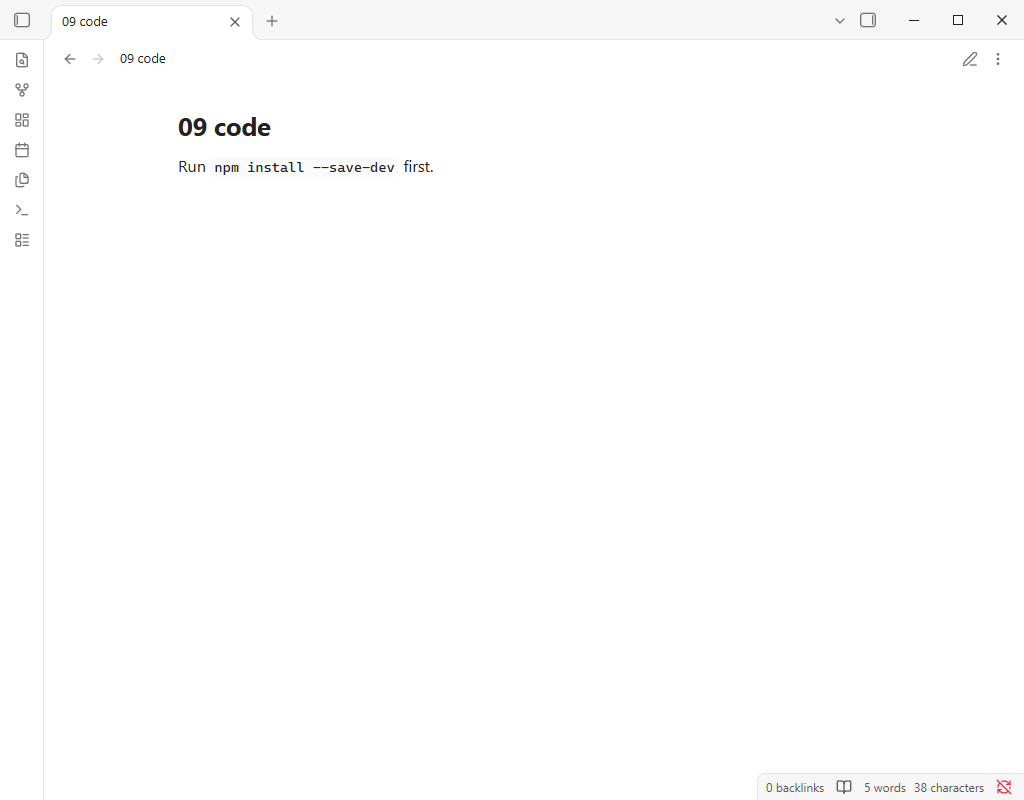
As in Reading view, and as CommonMark specifies (a code span may contain a line ending, which becomes a space): one code span, npm install --save-dev.
Actual result
Reading view shows the code span. The editor ends a code span opened by one or two backticks at the end of its line, so npm install is styled as code to the end of line 1, and on line 2 the closing `` opens a new code span instead, which styles first. as code.
--save-dev is shown as plain text. Live Preview looks the same: npm install and first. are code, --save-dev is not.
A code span opened by three or more backticks does run on to the next line in the editor (Run ```npm install / --save-dev``` first. styles npm install and --save-dev as code, and first. as text).
Environment
SYSTEM INFO:
	Obsidian version: 1.14.5
	Installer version: 1.14.4
	Operating system: Windows 11 Pro 10.0.26300
	Login status: not logged in
	Language: en
	Insider build toggle: off
	Live preview: on
	Base theme: adapt to system
	Community theme: none
	Snippets enabled: 0
	Restricted mode: on

RECOMMENDATIONS:
	none
Sandbox vault, no community plugins, default theme and settings.
Additional information
This happens whenever a long inline code span is hard-wrapped, which is common in notes imported from other tools.
Live Preview:

Reading view: