@Moonbase59, for the reasons you listed I keep the images in the same folder as the files (with the same name). As I was getting tired of having my navigation pane so cluttered, I switched to a new method that I’m quite happy with. Might be an option for you too. I put all my files/images/attachments in a folder, and in the root I keep one TOC file of that folder (kept updated automatically using the dataview plugin).
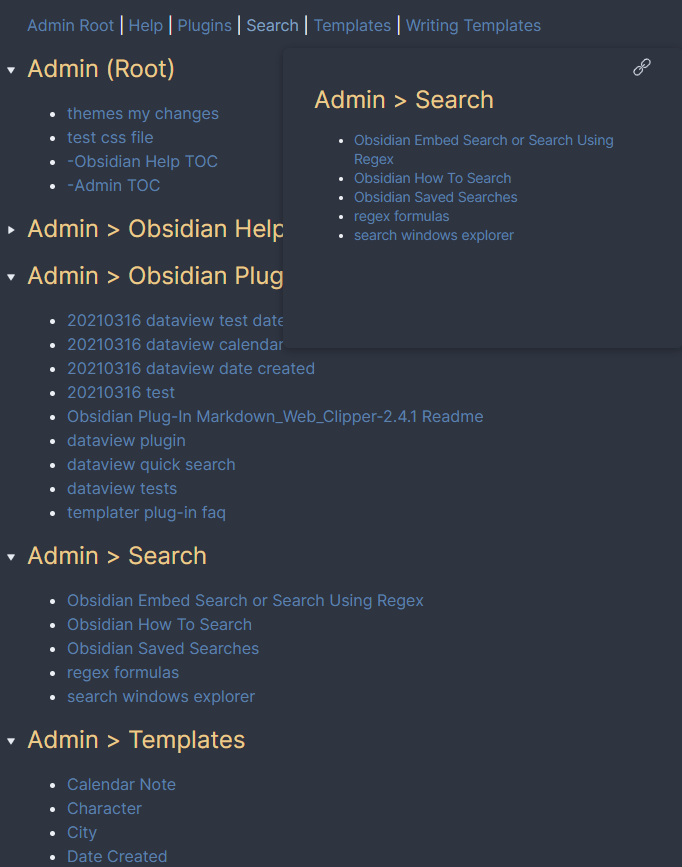
For example, my Admin folder includes subfolders for templates, plugins, and search (among others). All files go in those folders. The only file in the root is Admin TOC. (You can also create a TOC for each of the subfolders, but I like just the one TOC with sections in it for the various subfolders). To be a bit fancy I also included links to the headers at the top of the file so I can just hover and go directly where I want.
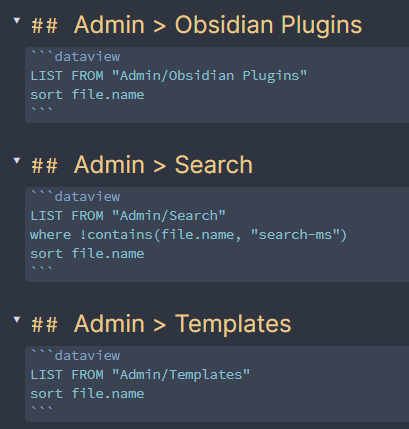
Uncluttered, and I never have to go through folders to find anything. The setup takes very little time because dataview does all the work. The second image shows the file in Edit mode where you can see how easy it is to setup.
The rules