Thanks for your code examples, @chokko @reaty !
I’ve done a slightly different iteration:
const suggestions = new Map()
suggestions.set(
  "Today, "+moment().format('ddd MMM, D'),
  moment()
)
suggestions.set(
  "Tomorrow, "+moment().add(1,'days').format('ddd MMM, D'),
  moment().add(1,'days')
)
suggestions.set(
  moment().add(2,'days').format('ddd MMM, D'),
  moment().add(2,'days')
)
suggestions.set(
  moment().add(3,'days').format('ddd MMM, D'),
  moment().add(3,'days')
)
suggestions.set(
  moment().add(4,'days').format('ddd MMM, D'),
  moment().add(4,'days')
)
suggestions.set(
  moment().add(5,'days').format('ddd MMM, D'),
  moment().add(5,'days')
)
suggestions.set(
  "Manual",
  null
)

const selection = await tp.system.suggester(
    [...suggestions].map(([k, v]) => k !== "Manual" ? k + " (" + v.format("YYYY-MM-DD") + ")" : k),
    Array.from(suggestions.values())
)

let fileDate = null
if (!selection) {
    inputDate = await tp.system.prompt("Type a date (DD MM? YY?):")
    fileDate = moment(inputDate, "DD MM YY")
    if (!fileDate.isValid()) {
      fileDate = moment()
    }
} else {
    fileDate = selection
}
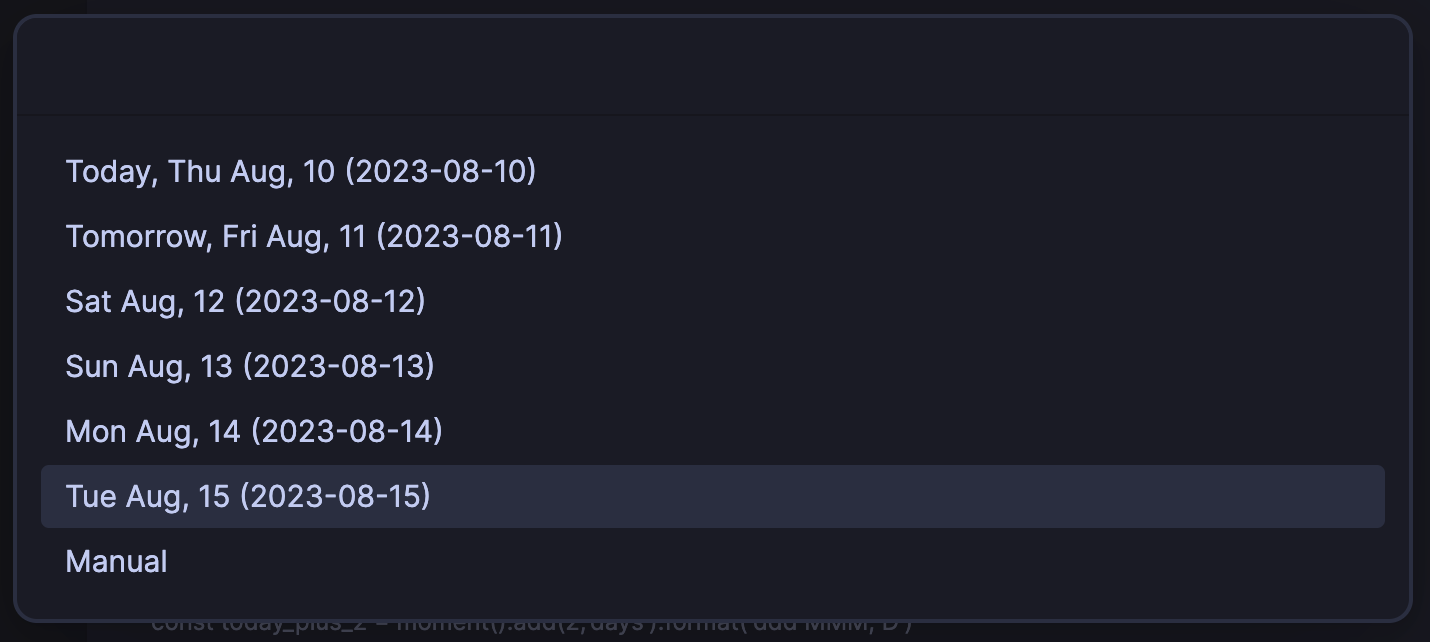
Which offers a smaller fly-out selector and date selection options that might be easier for date-challenged individuals (like me) because it shows the name of the day in the future as well as the numeric date (redundantly, even).