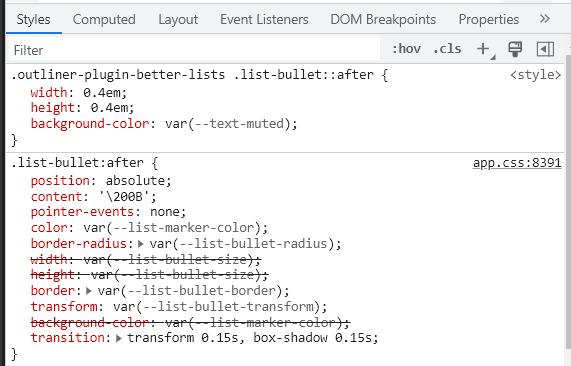
@AshrafNafi the outliner plugin has a settings that apply css styles that override’s obsidian default styling, so you would need to tackle that
the setting underlined here, if you enabled this, you would need to use the snippets below, else the snippets before (or the one you used before should be fine)
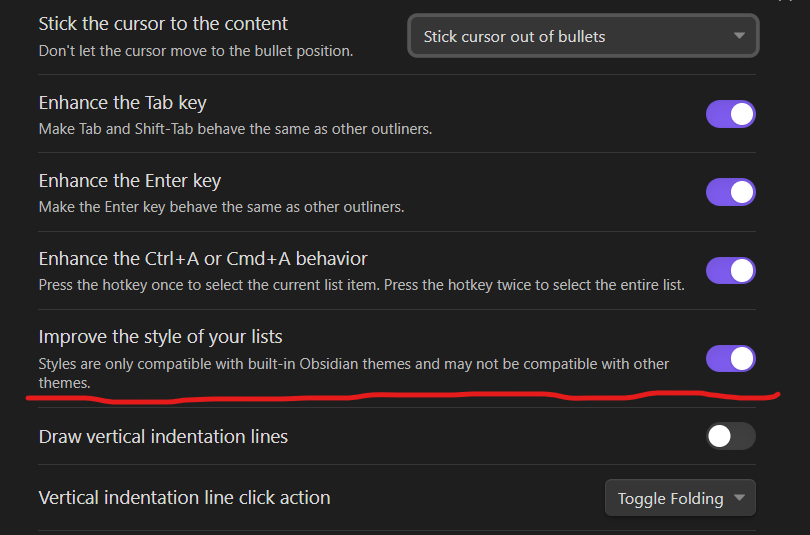
so, instead of simply redefine the variable, you need to override again the outliner’s override snippets (the second part of the snippet below). here should do the trick
body.theme-dark {
    --list-marker-color: blue;
    --list-marker-color-collapsed: yellow;
}

.outliner-plugin-better-lists .list-bullet::after {
    background-color: var(--list-marker-color);
}
just additional info, here’s where the outliner plugin overrides that