Disclaimer
Is this plugin open source? Yes
Is this plugin completely free? Yes
Is this plugin vibe-coded beyond the author’s ability to comprehend how it works? Yes
Community Directory: Git Note History
If your vault is in a Git repository (Obsidian Git, a backup script or by hand), Git Note History gives each note a timeline in the right sidebar.
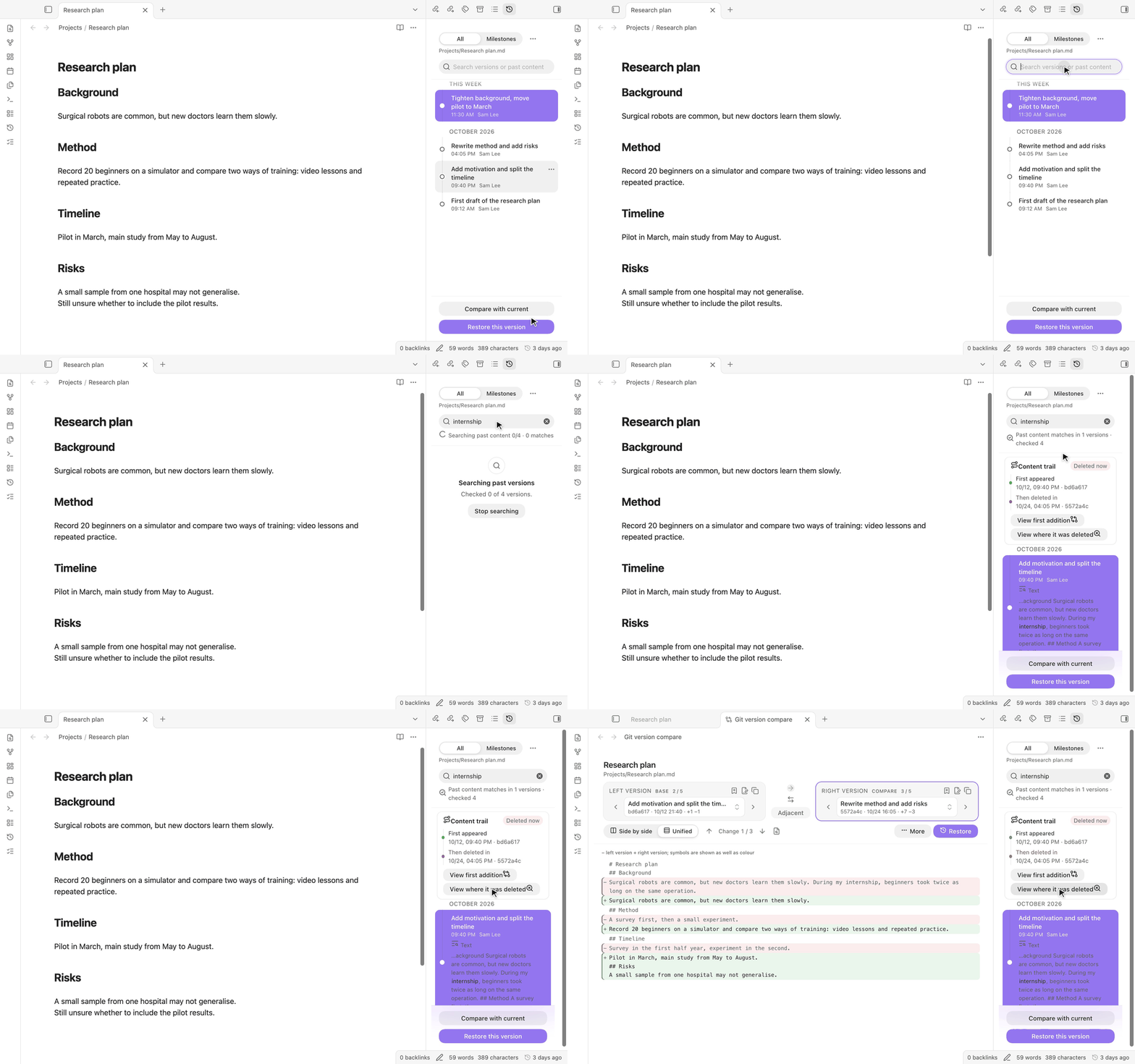
In the clip: type a few words of a sentence that no longer exists. The sidebar shows when it first appeared, which commit deleted it, and opens that commit next to the current note.
What else it does
- Compare any two versions: side by side, unified, rendered Markdown or a structure view (headings, lists, tasks, properties, links).
- Restore a whole version, one paragraph or one change, after a preview that lists what changes and which links would break. Every restore can be undone.
- Paragraph history for the paragraph under the cursor, including versions where it was later deleted.
- Status bar: how long since the note was last committed.
What it never does: commit, push, change branches or touch the staging area. No network, no account.
Desktop only (needs Git installed). English and Chinese interface. Source and issues: https://github.com/Rexxall/obsidian-git-history-view