Disclaimer
Is this plugin open source? Yes
Is this plugin completely free? Yes
Is this plugin vibe-coded beyond the author’s ability to comprehend how it works? No
Community Directory:[Link](https://community.obsidian.md/plugins/gallery-view)
Hi all,
I’ve been building Gallery View plugin for a while, and it has grown enough to make a thread here. Many people use images in their notes, but they don’t always want to place them as attachment. This plugin allows you to put image gallery in a note from various sources. Your reference images can be in the vault, external image links, hosted on your personal immich or nextcloud. Just pick and tune the source (or multiple sources), pick the layout and gallery renders in your note.
Five layouts are supported: Masonry (Pinterest style, columns of same width), Justified (Rows of same height, like immich), thumbnail, carousel and embed.
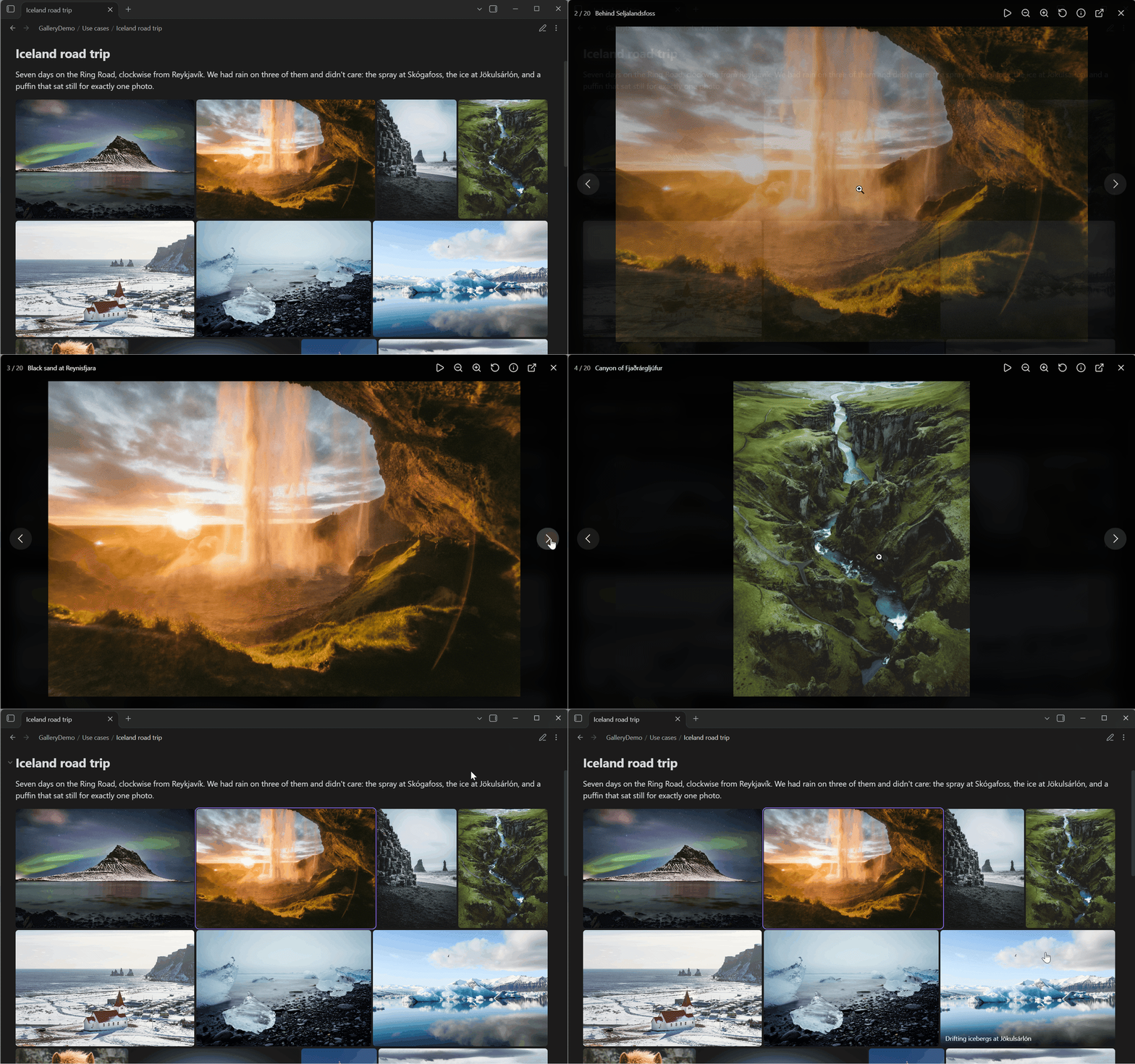
A full-screen viewer
Click any photo for a dark, distraction-free view with slideshow, zoom, photo details, keyboard arrows and swipe.
As of now, supports local folders, external links, immich (public shared links and authenticated server), nextcloud (public shared and authenticated server). All the auth related information stays in your vault. Each source comes with it’s own filters and options.
Photos from Immich and Nextcloud stay on your server. Nothing gets copied into your vault.No YAML needed
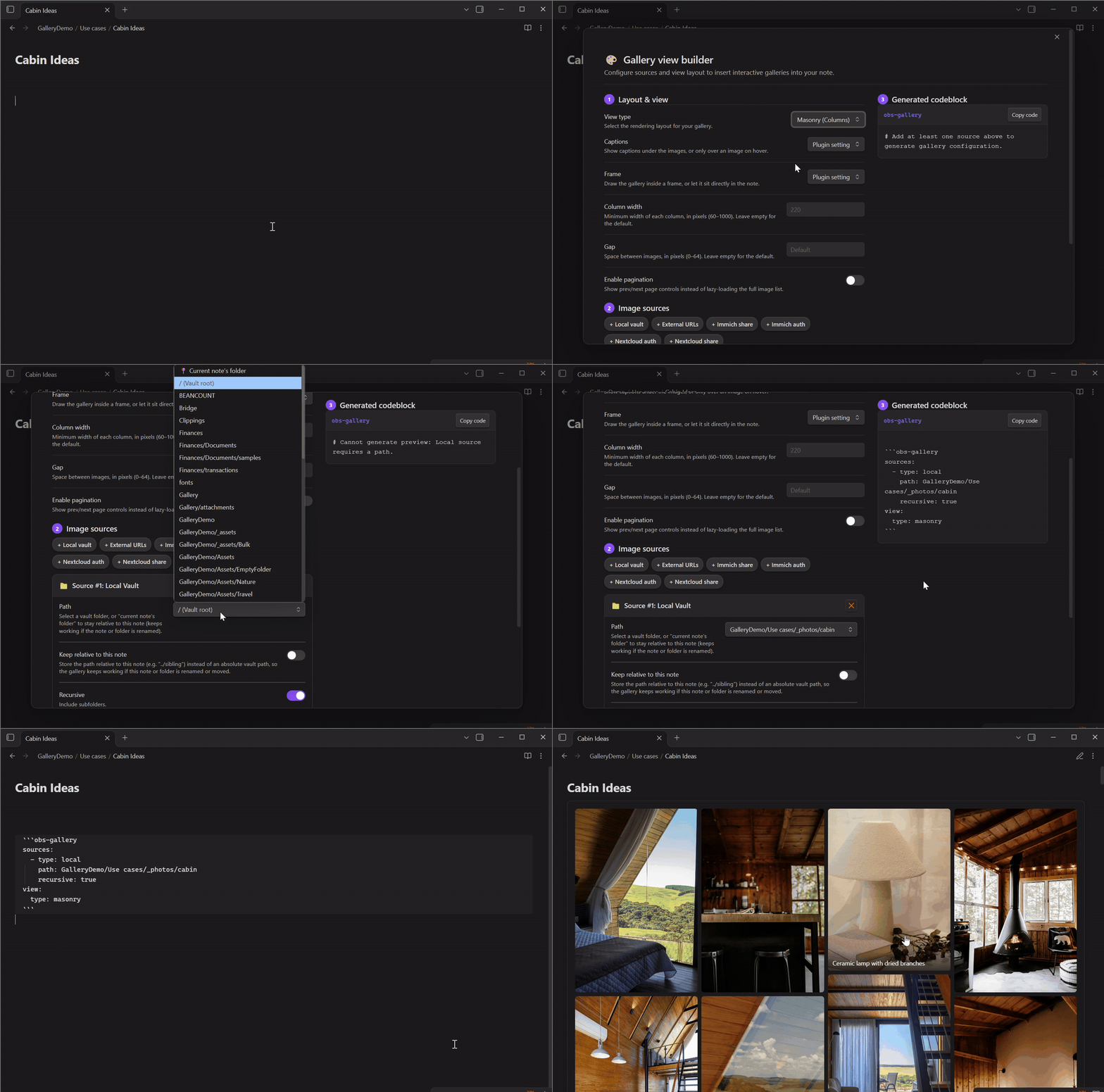
In the source mode gallery looks like a yaml
obs-gallery ...block, but you don’t have to write it yourself, the Insert gallery command builds the block for you: pick a layout, add a source, set the options. Autocomplete helps if you do type it.
Also
- Fast with big folders: images load as you scroll.
- Uses your theme, works on mobile, and can drop its frame so the gallery blends into the page.
Captions under the photos or only on hover.
Try it in 30 seconds
Install Gallery View from Community plugins (open in Obsidian), then run Gallery View: Create showcase notes. You get a folder of ready-made notes for every layout and source, plus a few real-photo examples: a travel journal, a mood board and a family album.
- Docs: Gallery View
- GitHub: [Repo]( GitHub - mkshp-dev/obsidian-gallery-plugin: Create interactive image galleries in notes using simple obs-gallery code blocks. Display folder or file images as responsive thumbnail grids, carousels, or masonry layouts with click-to-expand modal viewing, lazy loading for large collections, and graceful fallbacks. · GitHub )
It’s free and open source (MIT). I’d love to hear your feedback.