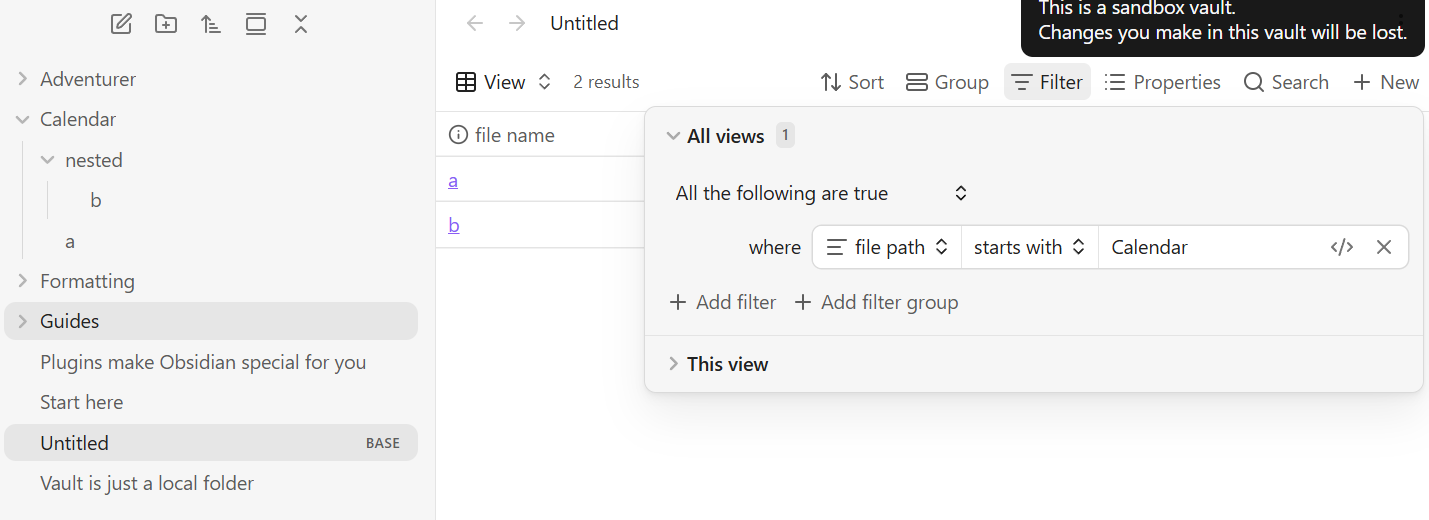
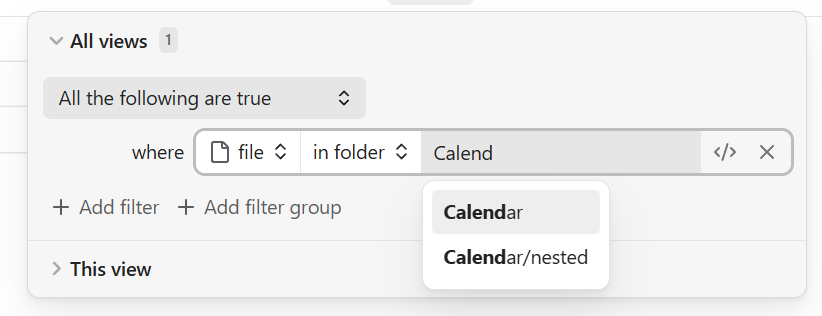
Since is sounds like you want the base to show files in subfolders too (due to using “startsWith”), I just want to point out that there’s also file.inFolder("Calendar"). When you use the filter interface with that one, it gives you drop-down suggester, which can help make sure you and the base see eye-to-eye about which folder you mean:
I do see the folder in the dropdown (in file.folder == “Calendar” too) but when selected there is no return.
I had wondered if it was to do with the iconic icon but that doesn’t explain it as if I change the name to ‘Calendar_daily’ (same icon) I get results.
I’m using Obsidian desktop 1.15.0
For sure, Obsidian is not blocking the folder name “Calendar” from bases.
Things to check:
Does your base have another filter, in All views or This view, that’s filtering out that folder?
Is the folder excluded via Settings > File and links > Excluded files? Or via a plugin’s exclusion settings.
Do you have more than one folder named “Calendar” throughout the vault, and you might be selecting a different one?
If the above don’t help, then try in a Sandbox vault (Sandbox vault - Obsidian Help)? If it works there, then you could go through the troubleshooting guide—maybe a plugin or something else is interfering.