u almost there, if u click on the element, the dev tool will jump to that particular html element on the sidebar (see pic below). and if u scroll down a bit u’ll see that classes .cm-s-obsidian span.cm-formatting-list there uses font color variable --text-muted and it’s applied by the core app css (hence the app.css:2355)
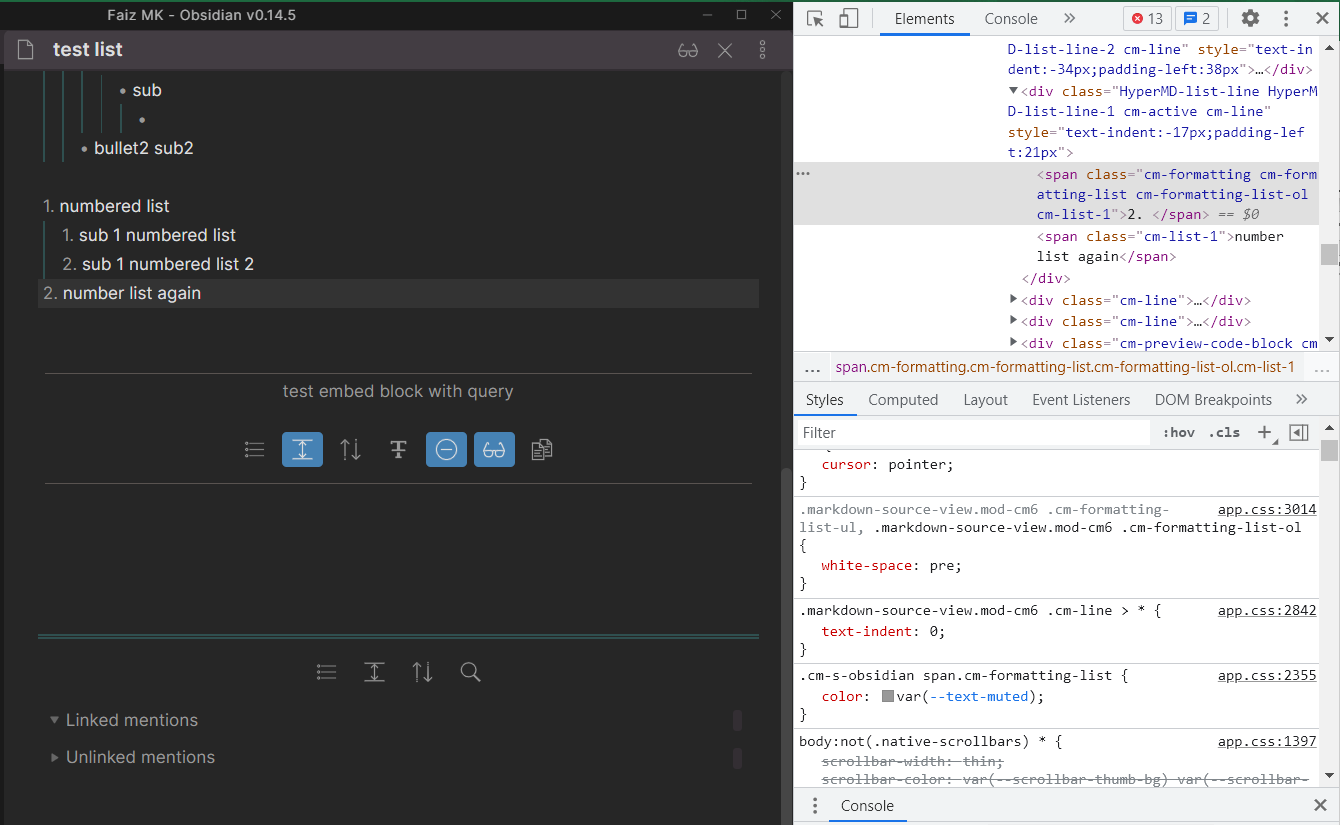
u can control this back by applying css snippet (Add custom styles - Obsidian Help). u have choice among these 3 route (that i can think of right now) via css snippet
/* this change this variable's preset, subject to whether ur theme uses it or not */
body {
    --text-muted: #FFFFF0; /* choose any color u want */
}
/* inherit text-normal color (the editor color), most theme would use this */
body {
    --text-muted: var(--text-normal); /* use editor font color for formatting */
}
/* take control entirely of this formatting font color */
.cm-s-obsidian span.cm-formatting-list {
    color: #FFFFF0; /* choose any color u want */
}