Steps to reproduce
Paste each sample into its own note and compare Source mode / Live Preview with Reading view.
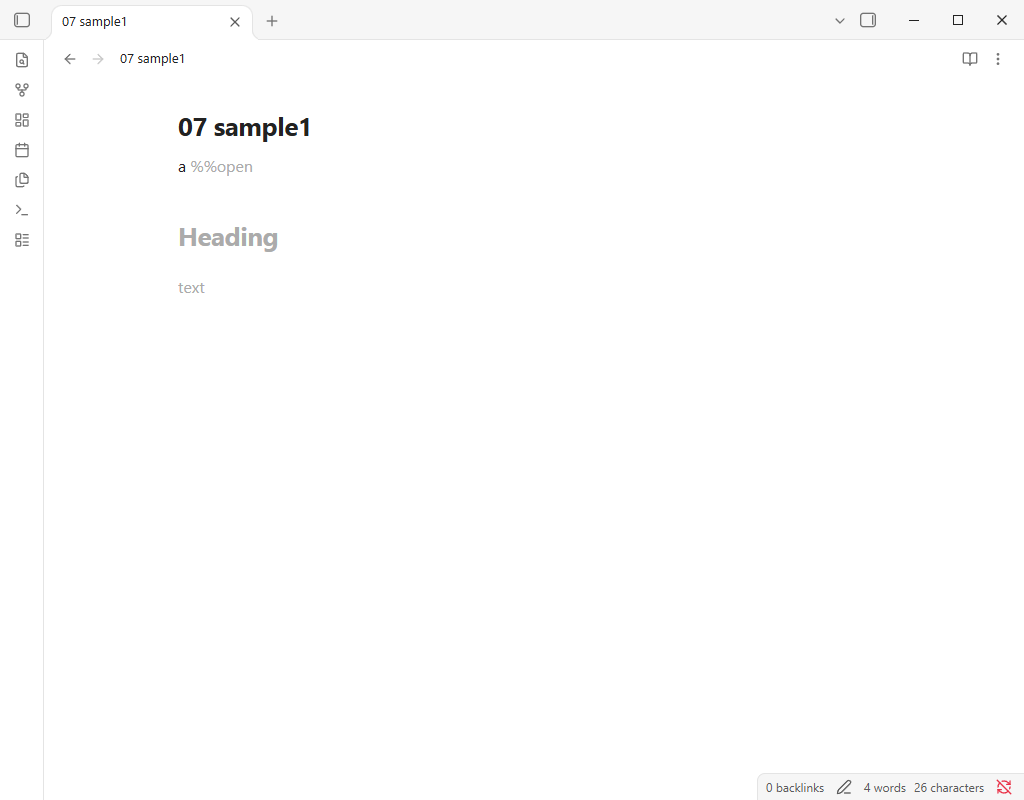
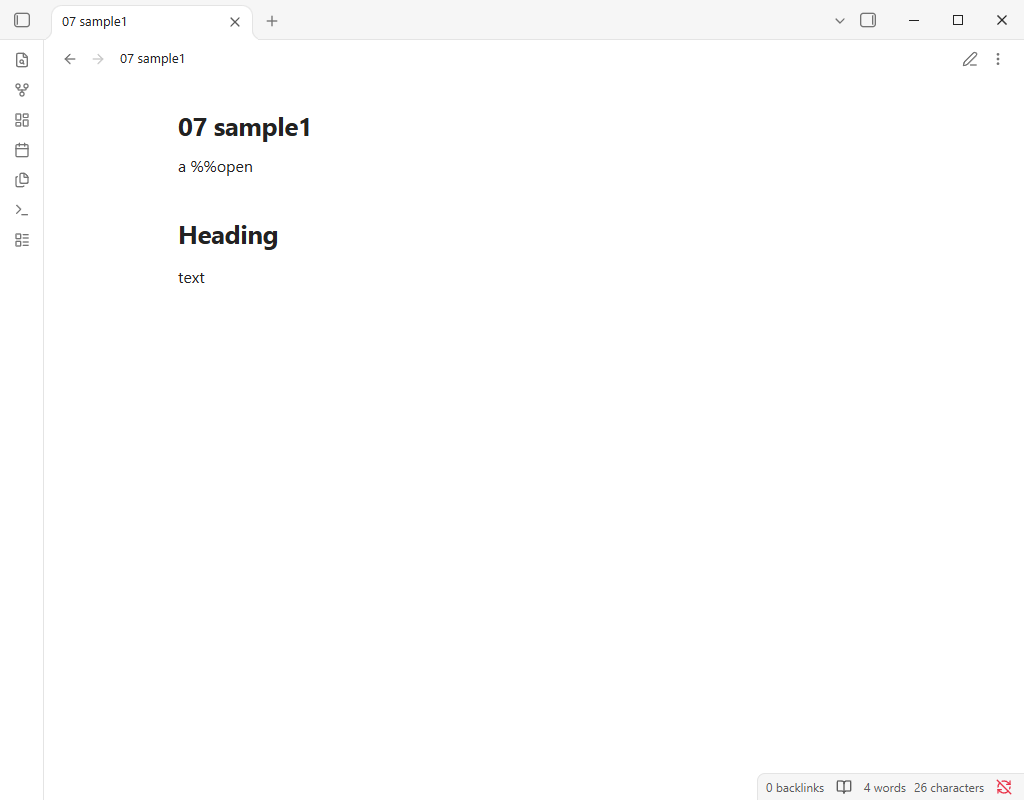
Sample 1, a %% opened mid-line and never closed:
a %%open

# Heading

text
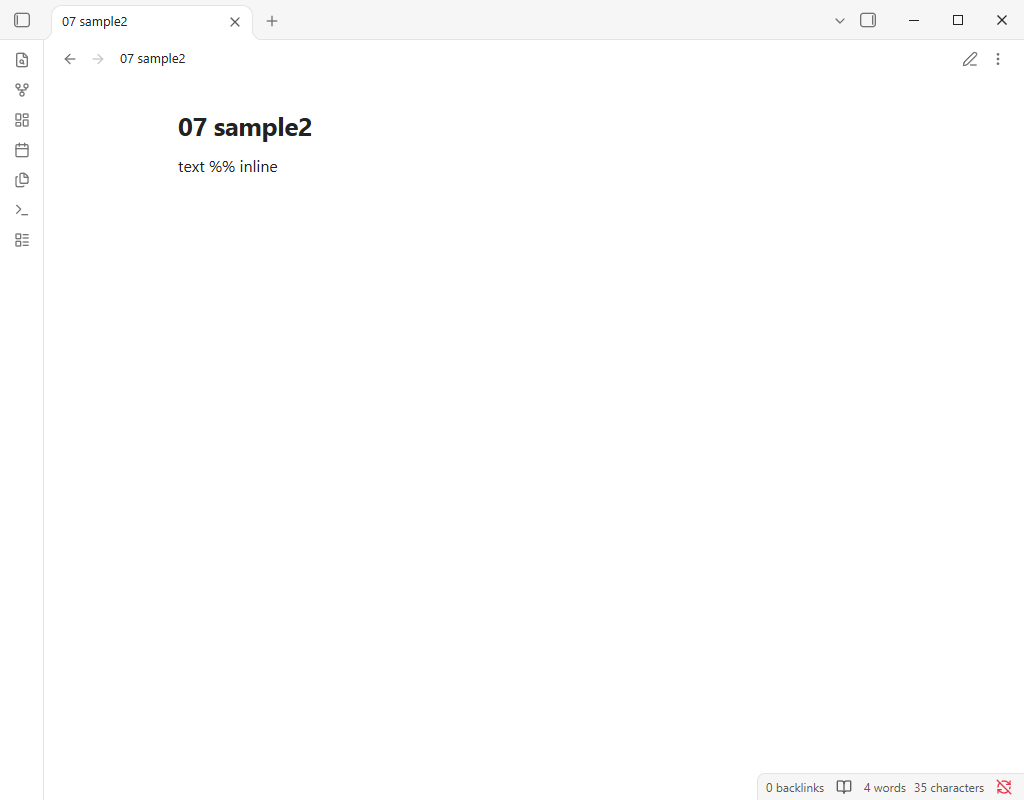
Sample 2, a %% opened mid-line and closed at the start of the next line:
text %% inline
%%
after

# Heading
Did you follow the troubleshooting guide?
Yes (reproduced in the sandbox vault, no community plugins).
Expected result
The help page “Basic formatting syntax” says an inline comment keeps both of its markers on one line, and a block comment starts only when a line begins with %% and ends at the next %%. So the editor should read these samples the way Reading view does:
- Sample 1:
a %%openis not a comment (an inline comment with no closing%%on its line). The heading andtextare normal. - Sample 2:
text %% inlineis plain text; the%%line opens a block comment, which is never closed, so the rest of the note is hidden (as documented for an unclosed block comment).
Actual result
Reading view and the metadata cache follow the documented rules (sample 1: three normal blocks; sample 2: only text %% inline is shown, and the heading is not in headings).
The editor does not:
- Sample 1: everything from
%%openon is styled as comment text, across the blank lines, the heading andtext, up to a later%%(here: to the end of the note). - Sample 2:
%% inline+ line break +%%is styled as one comment, andafterand the heading are styled as normal text. The editor shows a heading the reader will never see.
So the editor and Reading view show different parts of the same note as hidden.
Environment
SYSTEM INFO:
	Obsidian version: 1.14.5
	Installer version: 1.14.4
	Operating system: Windows 11 Pro 10.0.26300
	Login status: not logged in
	Language: en
	Insider build toggle: off
	Live preview: on
	Base theme: adapt to system
	Community theme: none
	Snippets enabled: 0
	Restricted mode: on

RECOMMENDATIONS:
	none
Sandbox vault, no community plugins, default theme and settings.
Additional information
Sample 1, Live Preview:
Sample 1, Reading view:
Sample 2, Live Preview:

Sample 2, Reading view:
Writing text %% note and closing it on the next line is a natural way to type a comment. The help page advises against it, but the editor gives no hint: it shows the comment closed and the rest of the note visible, while Reading view hides that rest and the outline drops its headings.
Related but different: Comments inside multiline comments break (%% pairs nested inside a block comment).