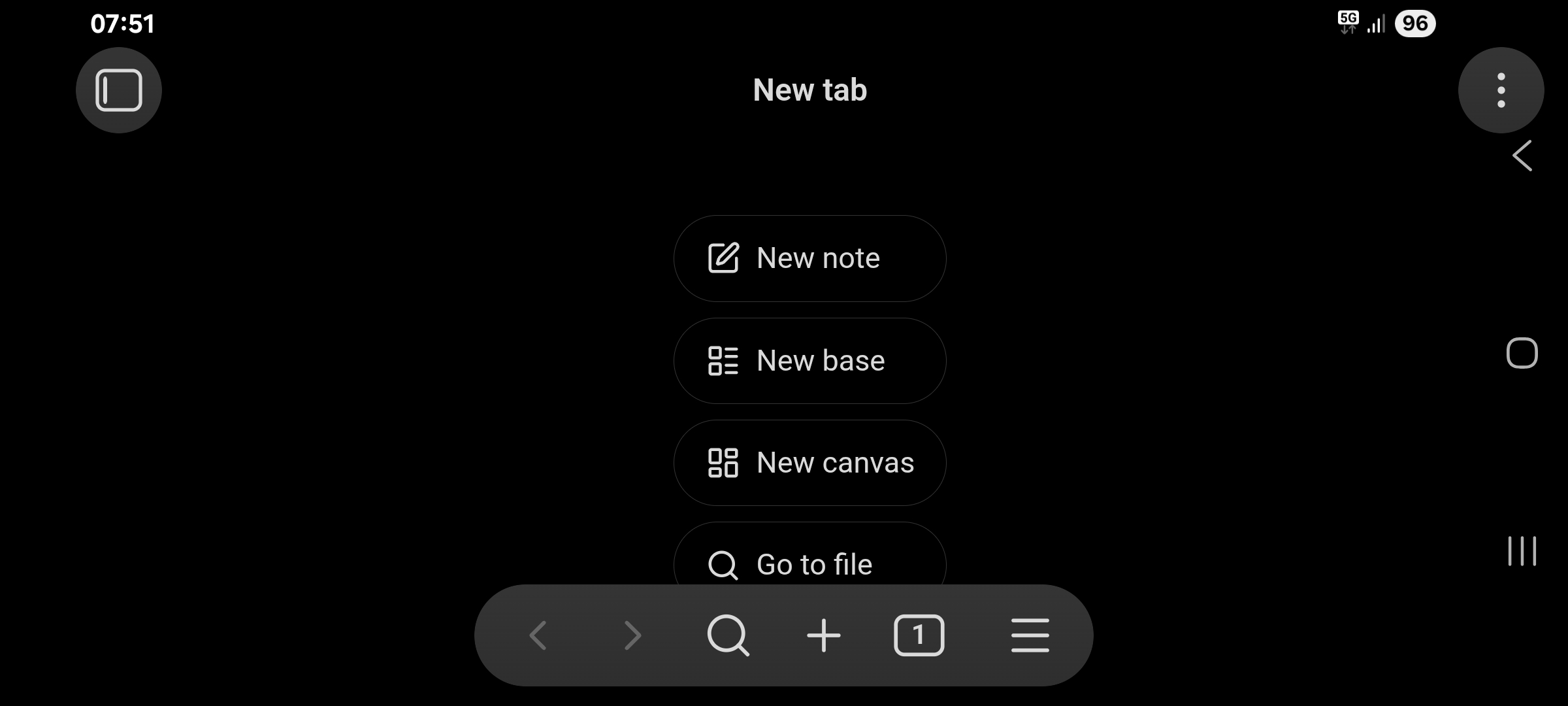
Steps to reproduce
- Install Obsidian from the Google Play store.
- Open the app in landscape mode.
Did you read and follow the Troubleshooting Guide ? Yes
Expected result
Obsidian should respect the system insets as detailed in the Android Developers Guide.
Actual result
Critical UI components (the three dots menu) are hidden behind the system navigation bar, and thus unusable in landscape mode (clicking the three dots menu presses the back button).
Environment
SYSTEM INFO:
Obsidian version: 1.14.4 (389)
API version: 1.14.4
Operating system: Android 15
Webview version: 154.0.8037.106
Login status: not logged in
Language: en
Live preview: on
Base theme: adapt to system
Community theme: none
Snippets enabled: 0
Restricted mode: off
Plugins installed: 2
Plugins enabled: 2
1: Kanban v2.0.51
2: Checklist Reset v1.2.1
Additional information
Screenshot: